
How to Do SEO Keyword Research for Content Automation (Part 2/13)

When people talk about content automation, they often jump straight to publishing workflows, AI writing, or WordPress integrations. But before any of that, there is one step that matters more than the rest: deciding what you should write about.
If your keyword list is weak, your automation will simply publish the wrong content faster. That is why the first part of a good content marketing setup is keyword research and competitor research.
In this guide, I’ll walk through a simple, practical process for building the keyword base for an automated blog workflow. The setup is beginner-friendly, uses Google Sheets and ChatGPT, and still leaves room for manual checks so you do not blindly trust AI.
If you are building a larger SEO and reporting workflow, you may also like this guide on creating an SEO dashboard in Looker Studio, because once content starts publishing, you’ll want a clean way to measure what is actually working.
Table of Contents
- Step 1: Start with the real goal of your content plan
- Step 2: Create a simple Google Sheet to organize your keyword research
- Step 3: Choose your keyword sources
- Step 4: Set up a project in ChatGPT before asking for keywords
- Step 5: Ask ChatGPT for a structured keyword list
- Step 6: Do deeper competitor research when quality matters
- Step 7: Manually review the competitors ChatGPT suggests
- Step 8: Export the keyword table into Google Sheets
- Step 9: Clean the keyword list by hand
- Step 10: Understand the columns before you build your plan
- Step 11: Validate important keywords in Semrush if you want stronger data
- Step 12: Turn the keyword list into the base of your content marketing plan
- Step 13: Remember that automation comes after strategy
- Practical tips before you move on
- Summary
Step 1: Start with the real goal of your content plan
The goal here is not just to collect random keywords.
The goal is to create the foundation for a content marketing system that can later support automated posting on a WordPress website. In other words, this keyword research step becomes the input for the whole content plan.
That matters because automation is only useful when the strategy behind it is solid.
Before touching any tool, be clear about these questions:
- What is your website about?
- What topics do you really want to publish on?
- Who is the audience?
- What categories or themes should your blog cover?
It sounds obvious, but this is where a lot of people go wrong. They ask AI for keyword ideas before giving it enough context. Then they get a list that looks impressive but has very little to do with their actual business.
So first, define your topic area. Then build the keyword list around that.
Step 2: Create a simple Google Sheet to organize your keyword research
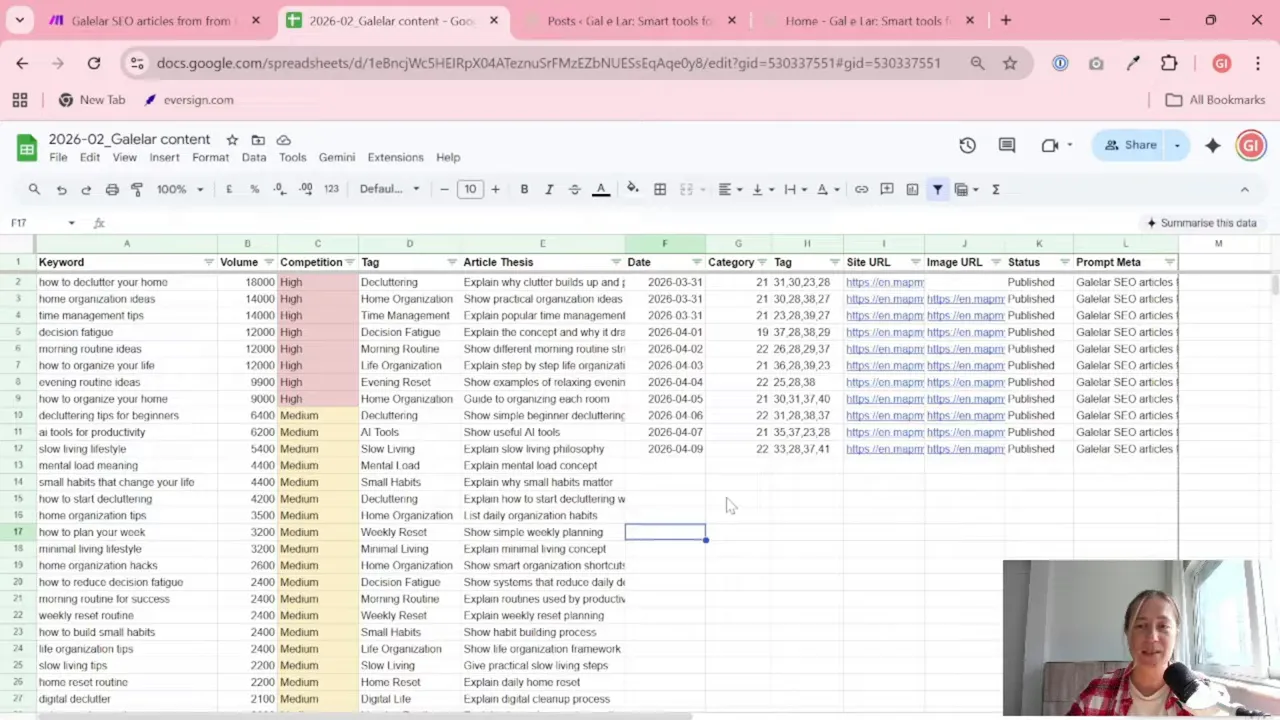
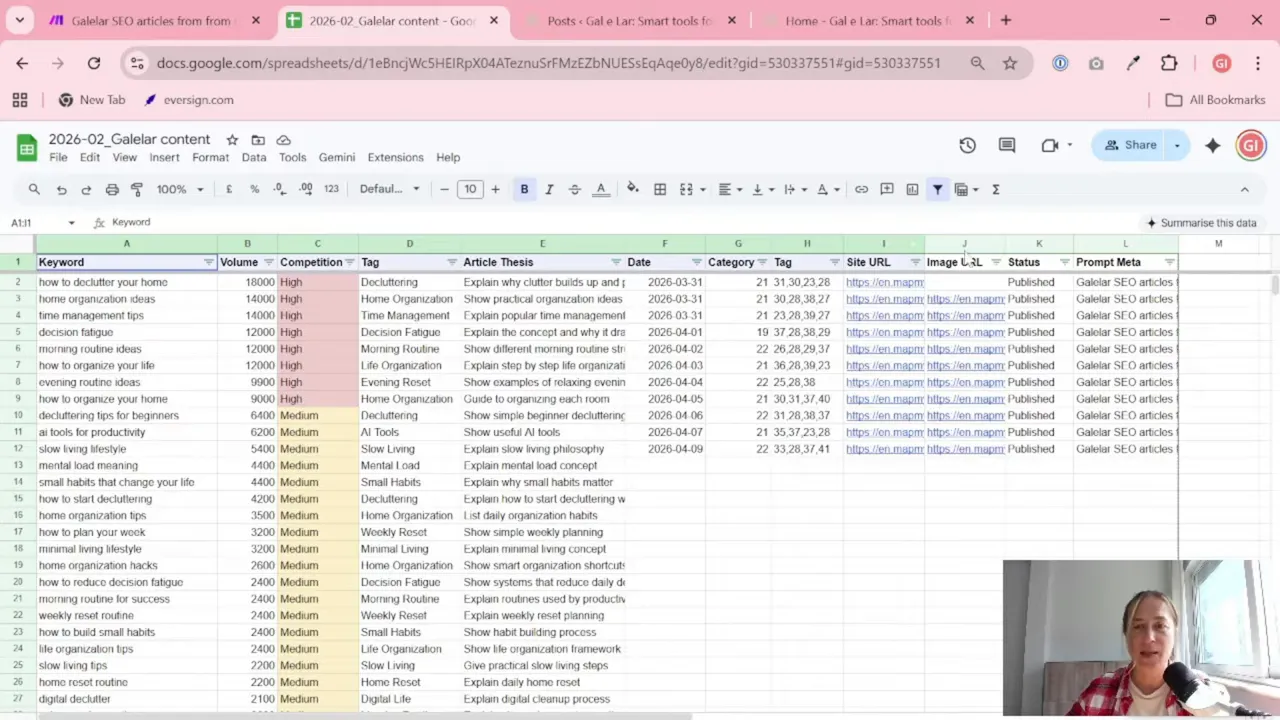
The first practical step is to create a Google document or, even better, a Google Sheet where you will collect your keyword ideas and article topics.
You do not need a complicated template. A simple table is enough. The point is to have one place where you can review, clean, and organize ideas before they become articles.
A useful structure might include columns like these:
- Keyword
- Search volume
- Competition or difficulty
- Category or tag
- Article idea
In the process shown here, the sheet is cleaned up a bit right away:
- Freeze the first row so headers stay visible
- Turn on filters to sort and review keywords more easily
- Keep the format simple so you can paste results from AI tools without extra work
This may feel like a tiny detail, but once your list grows, small organization choices save a lot of time.
If you regularly work with spreadsheets and content planning, the articles on the Gaille Reports blog are worth browsing. They are very practical and usually written with marketers in mind, not developers.
Step 3: Choose your keyword sources
You can collect keyword ideas in a few different ways. The process here mentions three practical options:
- Manual research
- Semrush
- Google Keyword Planner
- ChatGPT
Each one plays a different role.
Manual research
This is slower, but it helps you think clearly. You look at competitors, browse real websites, and note what topics are relevant.
Semrush
This is useful when you want stronger keyword data, especially around search volume and competition. If you want a more serious SEO check, this is the place to validate important keywords.
Google Keyword Planner
Good for getting keyword ideas and rough search estimates, especially if you already work inside Google Ads.
ChatGPT
Very useful for brainstorming, structuring, and speeding up the first draft of your keyword plan. But, and this is important, it should not be treated like the final authority.
AI is helpful. AI is fast. AI is also sometimes confidently wrong. A classic coworker, basically.
Step 4: Set up a project in ChatGPT before asking for keywords
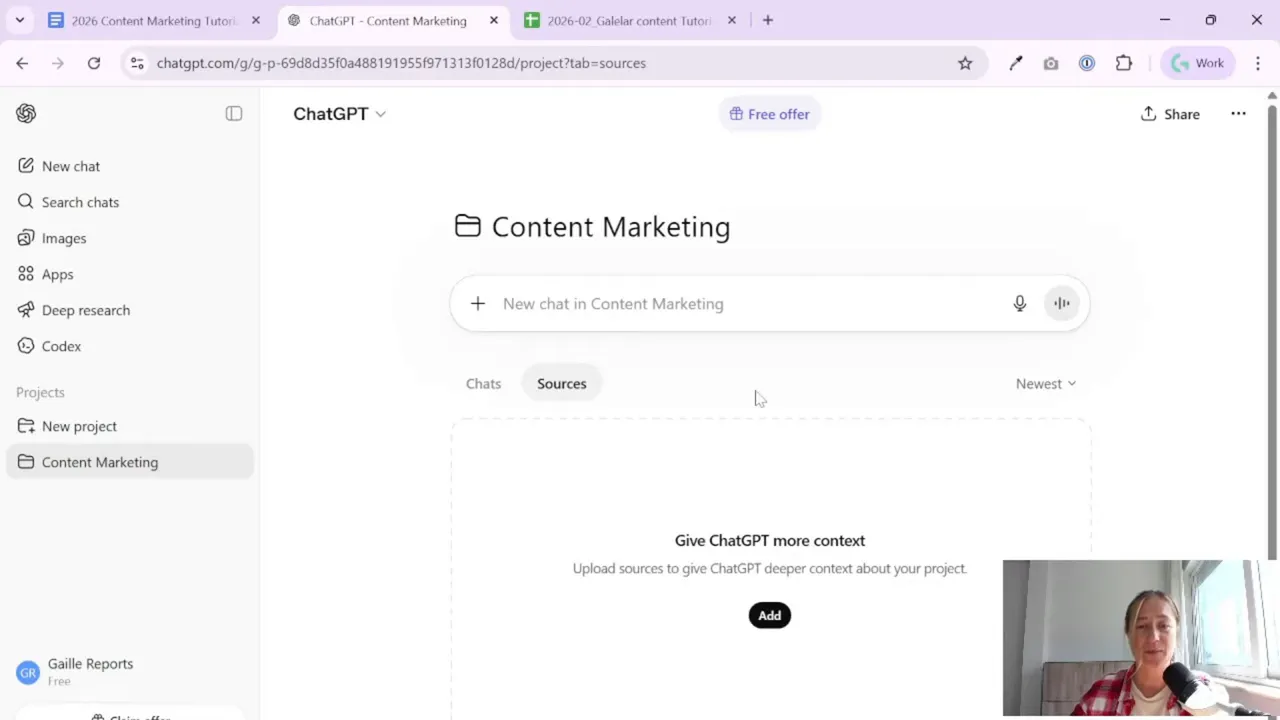
One of the most useful parts of this workflow is creating a dedicated project in ChatGPT instead of opening a random new chat every time.
For example, you can create a project called something like Content Marketing.
Why does this help?
Because a project lets you keep all the relevant information in one place. Instead of repeating yourself in every prompt, you can add context once and build on it.
Inside the project, you can include things like:
- Your website URL
- A description of the business
- Your content style preferences
- The audience you want to reach
- Brand colors or logo if you later work on visuals
- Any notes about categories, services, or themes
This makes the responses much better because the AI has more context about what your project actually is.
If you are doing ongoing content work, this is worth the extra two minutes. It is much easier than starting from zero every time.
Step 5: Ask ChatGPT for a structured keyword list
Once your project is ready, you can ask ChatGPT to generate a keyword list based on your website topic and competitors.
The prompt used in this workflow is quite practical. The idea is to tell ChatGPT:
- You want it to act as an SEO specialist
- Your website is in English
- It should explore the website
- It should research competitors and the main topic
- It should suggest 100 relevant SEO keywords
- It should estimate keyword value, such as search demand
- It should also suggest article angles or titles
You do not need fancy prompt engineering here. Clear instructions are enough.
What matters most is giving good input:
- A real website
- A clear niche
- Relevant competitors
- An explanation of what kind of content you want
If the niche is broad or the project is new, AI may suggest mixed-quality results. That is normal. The first draft is just the starting point.
A Tool I Use to Automate This Workflow
For automation, one of my favorite tools is Make.com. I use it to connect different tools and automate repetitive workflows — for example moving data between APIs, Google Sheets, and reporting systems.
Step 6: Do deeper competitor research when quality matters
For a quick tutorial or a rough first draft, a standard AI request can be enough.
But for real-world use, deeper research is strongly recommended.
In this workflow, the advice is to use deep research mode for competitor analysis, even if it takes longer. The extra time is worth it because it helps you identify websites that actually publish content in your niche and gives you a stronger basis for your keyword strategy.
When doing this properly, look for competitors that:
- Operate in the same or a very similar niche
- Have active blogs
- Regularly publish educational or topic-based content
- Clearly target the same audience you want to reach
Then check what they write about.
You are not copying them. You are trying to understand:
- Which themes appear often
- What questions the market seems to care about
- How broad or narrow your own content plan should be
This is where AI can save time, but only if you review the output carefully.
Step 7: Manually review the competitors ChatGPT suggests
This is one of the most important parts of the whole process.
Do not accept the first competitor list just because it was generated nicely.
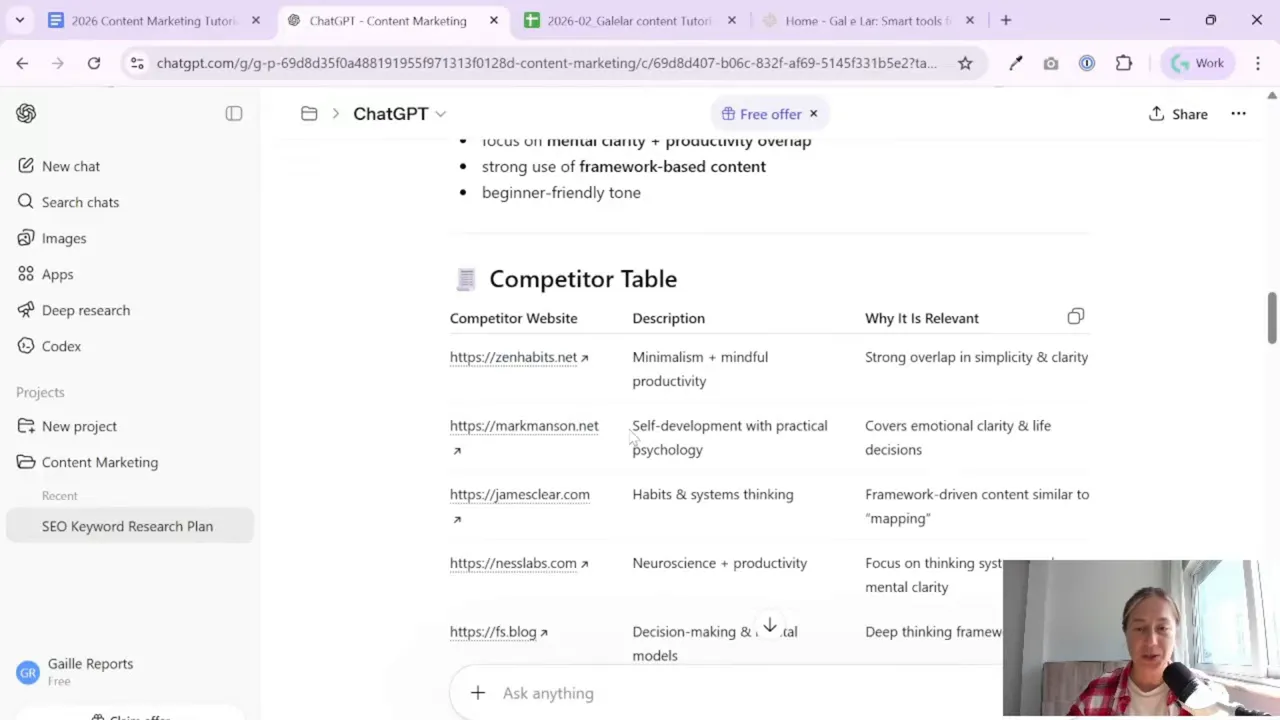
The workflow here makes that point very clearly: AI can suggest websites that do not really fit your topic. Some may be loosely related. Some may be completely off.
So after you get a competitor list:
- Open each suggested website
- Check whether it is truly relevant
- Remove the ones that do not match your niche
- Tell ChatGPT which ones you agree with and which ones you reject
- Ask it to continue using only the approved competitors
This back-and-forth matters a lot. It improves the final keyword list because you are helping the AI understand your standards.
Think of it as editing a junior assistant’s work. The assistant is fast, but you still need to review the draft before publishing it to the world.
Step 8: Export the keyword table into Google Sheets
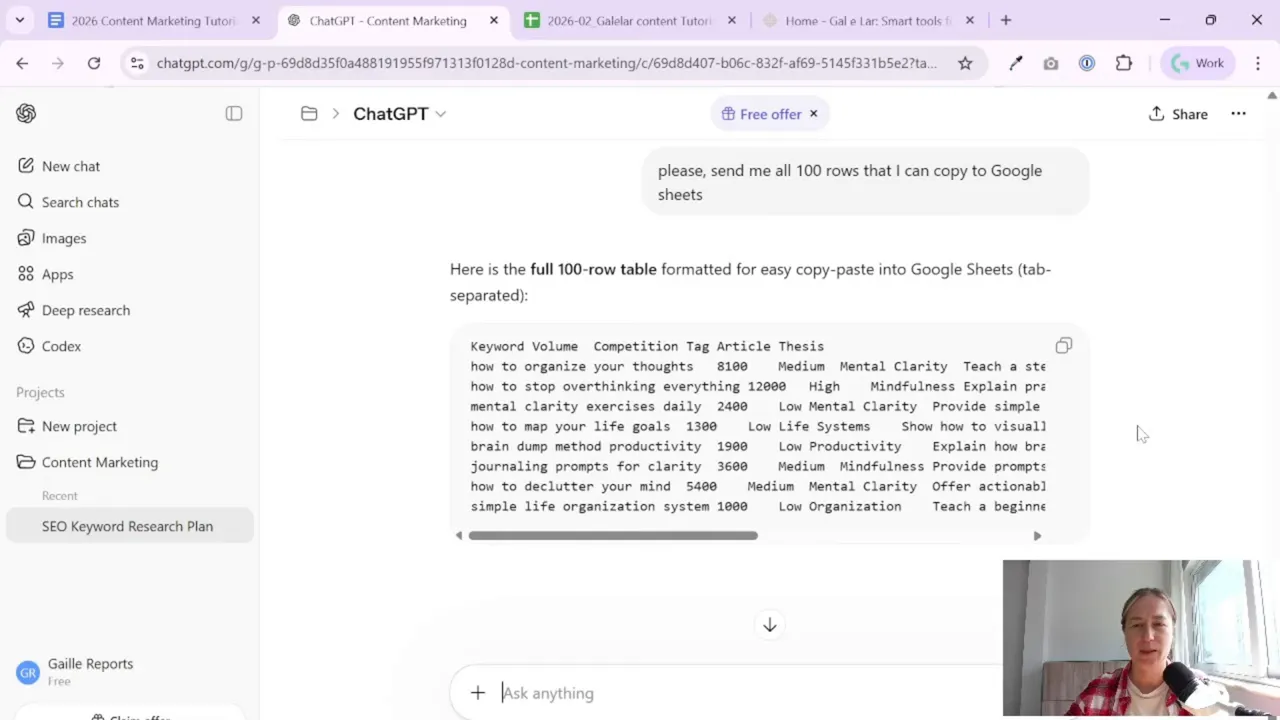
Once ChatGPT generates the list, ask it to provide the results in a format that is easy to paste into your sheet.
The process here asks for all rows in a table format that can be copied directly into Google Sheets.
This is practical because it turns a chat response into something you can actually work with.
After pasting the data into your sheet, clean it up:
- Remove extra rows you do not need
- Make sure columns are aligned properly
- Delete placeholders or broken entries
- Keep only the fields that help with planning
At this stage, your list is not final. It is the raw material for your content plan.
Step 9: Clean the keyword list by hand
This is the part people often want to skip. Please do not.
Even with a decent prompt, some keyword suggestions will be wrong, too broad, off-topic, or simply not useful for your blog.
In the example workflow, some ideas clearly did not match the intended content direction. That is normal. AI can throw in related-sounding phrases that are not really what you want to rank for.
So go through the list and ask simple questions:
- Does this keyword match my blog topic?
- Would I actually want to publish an article on this?
- Is this useful for my audience?
- Does this fit one of my content categories?
Remove anything that feels wrong.
It is still much faster than old-school manual keyword research from scratch, but it is not fully automatic. A human review is part of the process.
Step 10: Understand the columns before you build your plan
Once the keyword list is cleaned, the next job is to interpret it properly.
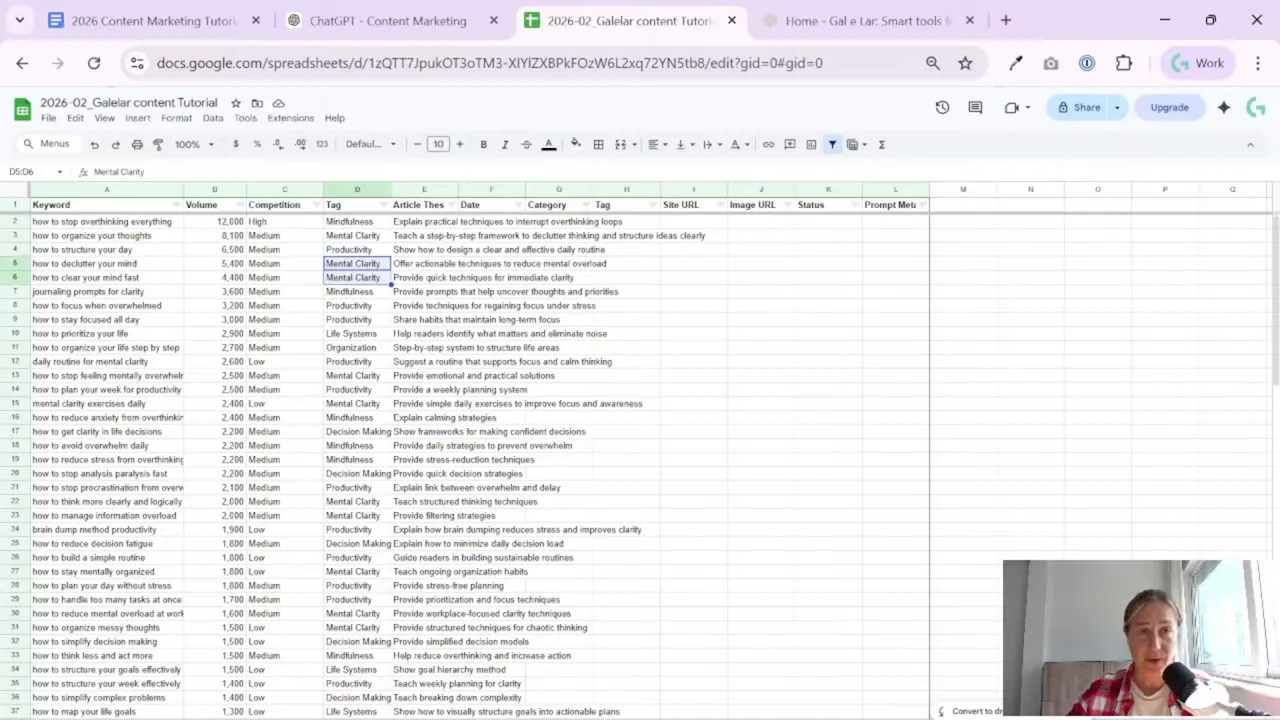
In this workflow, the sheet includes a few core fields that help turn keyword ideas into a working content plan.
Keyword
This is the main search phrase. It tells you the topic or query the article should target.
Volume
This is the estimated number of searches per month.
You can use it directionally. It helps you spot which topics seem more popular than others. But do not trust AI-generated volume figures too literally, especially if country or market details are not clear.
Use it as a clue, not as perfect truth.
Competition or difficulty
This tells you how hard it may be to reach the first page in Google for that keyword. Again, this is more useful when checked in a dedicated SEO tool.
Tag or category
This is less about SEO and more about planning.
A category field helps you see whether your content plan is too heavy on one topic and too weak on another. For example, if half your list is about one theme and nothing covers the others, that is useful to notice early.
This kind of grouping is very handy later when you create publishing schedules or automate article creation by topic.
Step 11: Validate important keywords in Semrush if you want stronger data
If you are doing serious keyword research, validate the most important ideas in Semrush instead of relying only on AI estimates.
This is especially useful for:
- Your main target keywords
- High-priority article ideas
- Topics you plan to build a whole category around
Check the keyword there and review:
- Search volume
- Competition or keyword difficulty
- Geographic market details
That last point matters more than many people think. Search volume can look attractive, but if you do not know which territory it belongs to, you may make the wrong decision.
So if the keyword is strategically important, verify it with a proper SEO tool.
Step 12: Turn the keyword list into the base of your content marketing plan
Once the list is cleaned and reviewed, you now have something valuable: the foundation of your content marketing plan.
This is the step that decides what you will post later.
From here, you can:
- Choose which topics to write first
- Group keywords into content categories
- Match keywords to article ideas
- Prepare prompts for article generation
- Build your automation workflow for WordPress publishing
That is why this stage should not be rushed. If you skip proper research and go straight into automation, you may end up publishing lots of content that is not aligned with your audience or your SEO goals.
If you later want to evaluate which pages bring traffic and how content performs over time, this resource on analyzing blogs and content websites is a useful next step.
Step 13: Remember that automation comes after strategy
The broader goal of this setup is to create automatic posts on a WordPress website through a step-by-step scenario.
But the first step is not posting.
The first step is research.
This is a good reminder because content automation tools can make it feel like publishing is the hard part. Usually, it is not. The hard part is deciding what deserves to be published.
A simple keyword workflow like this gives you:
- A content direction
- A clearer view of your niche
- A shortlist of useful article topics
- A cleaner base for future automation
And that means your later automation steps have a much better chance of producing useful results.
Practical tips before you move on
Before wrapping up, here are the key takeaways from this process in plain English:
- Create a dedicated project in ChatGPT. It keeps your business context in one place and improves the outputs.
- Give AI your website and business details. The more relevant context you add, the better the suggestions.
- Use AI for speed, not blind trust. It can help you brainstorm, but it still needs review.
- Check competitor suggestions manually. Some will be wrong, and that is normal.
- Clean your keyword sheet by hand. Remove the ideas that do not fit.
- Validate key keywords in Semrush when needed. Especially if volume and competition really matter for your decisions.
- Think in categories, not just individual keywords. This helps you build a balanced blog, not just a random pile of articles.
Summary
If you want to automate content publishing on WordPress, start by building the right keyword list first. That means setting up a simple Google Sheet, giving ChatGPT proper project context, asking for keyword ideas and competitor research, and then manually cleaning the results.
The process is not fully automatic, and that is actually a good thing. You still need to review the competitors, remove weak keywords, and sense-check the data. But compared with doing everything manually, it is a much faster way to create the base for a real content marketing plan.
Do this step carefully, and the rest of your automation setup becomes much easier. Skip it, and you may just automate chaos.
That is not a great content strategy. It is just a faster way to make a mess.
Want to go deeper? These guides pair nicely with this workflow
- Google Sheets logic functions overview
- Google Sheets IF function tutorial
- Clean dashboards in Looker Studio

Tool I use for automation
For automation, one of my favorite tools is Make.com.
I use it to connect different tools and automate repetitive workflows — for example moving data between APIs, Google Sheets, and reporting systems.
Tool for turning videos into articles
If you create video content and want to turn it into written articles faster, you might find VideoToBlog interesting.
It can take a video and generate a blog draft that you can edit and publish on your site.