

Facebook Ads Dashboard for Freelancers & Agencies — Google Sheets + Looker Studio
The Facebook Ads Dashboard (Google Sheets version) is designed for marketers, freelancers, small business owners, and agencies who want a flexible and budget-friendly way to track their Facebook Ads performance.
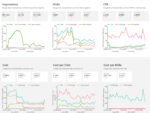
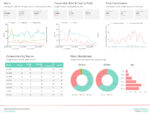
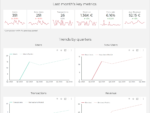
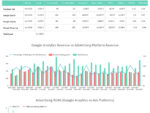
With this Looker Studio dashboard, you can track Spend, Clicks, CTR, CPC, CPM, and more — all in one clean, easy-to-read report.
Works by manually exporting your data to Google Sheets, then connecting it to Looker Studio. This gives you full control over your data without needing paid connectors.
Data sources: Facebook Ads data exported manually to Google Sheets.
Pre-sets: Download your data from Facebook Ads Manager as CSV, paste it into Google Sheets, and connect to Looker Studio. Supported metrics include Spend, Impressions, Clicks, CTR, CPC, CPM, and other key performance indicators.
Why do you need this dashboard?
There are many reasons to start using this flexible, manual setup today:
The Facebook Ads Manager can be messy and hard to read. This dashboard makes your core metrics visual, clear, and easy to share with clients.
No ongoing costs — perfect for smaller teams or freelancers who want to keep budgets low.
Full control of your data, so you can update whenever you need and customize metrics as your reporting grows.
Use this chance to simplify your Facebook Ads reporting — get your Google Sheets-powered Looker Studio dashboard today!


Reviews
There are no reviews yet.